


This guide explains how to find a valid video URL from the most popular platforms. A valid video URL must link directly to the video itself, not to a news article, blog page, or webpage that embeds a video.
Please note that this tutorial covers only the most well-known platforms as examples. Our tool supports a wide range of additional platforms. For more details, please refer to https://visavis.iti.gr/2025/04/24/how-to-submit-a-video-to-the-video-inspector/.
The format of a valid YouTube URL looks like this:
- https://www.youtube.com/watch?v=VIDEO_ID
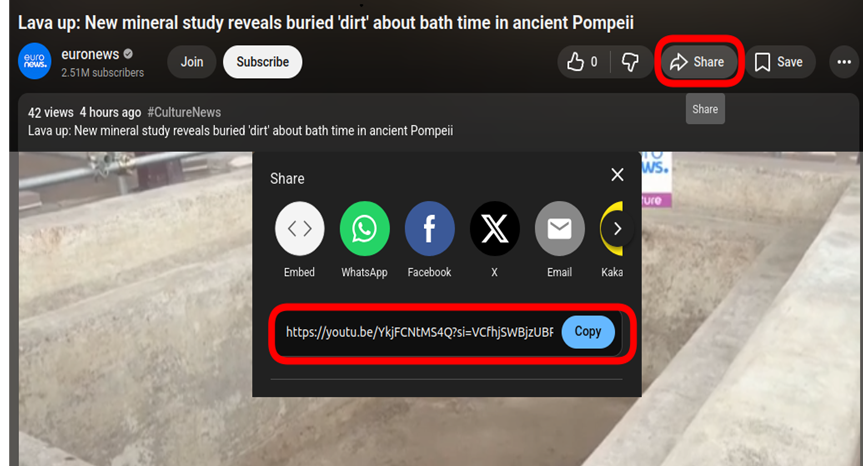
- https://youtu.be/VIDEO_ID
How to copy the URL (Desktop):
Copy the URL directly from the browser’s address bar
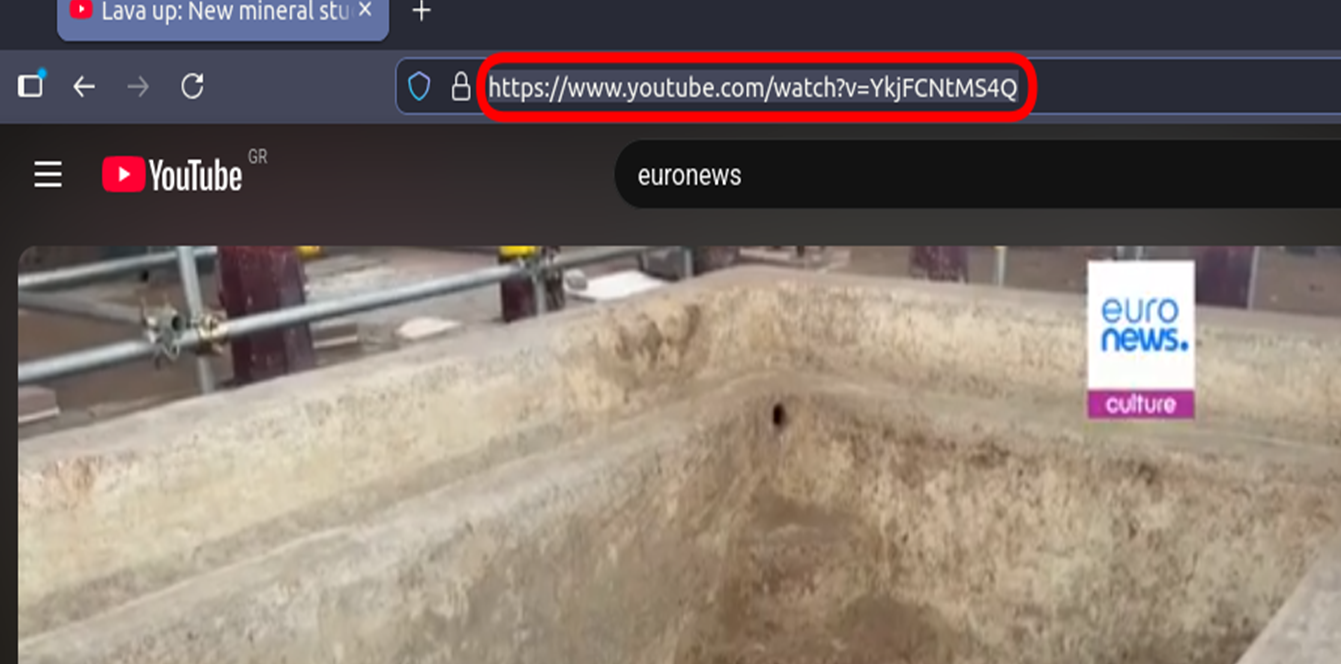
Or Click Share → Copy link.
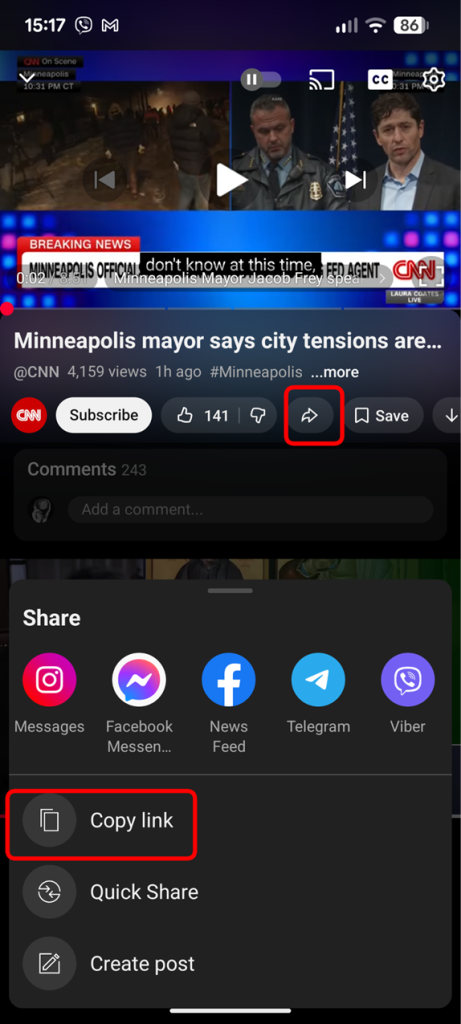
How to copy the URL (Mobile):
Alternatively, from the YouTube mobile app, tap the share button and select the “Copy link” option.
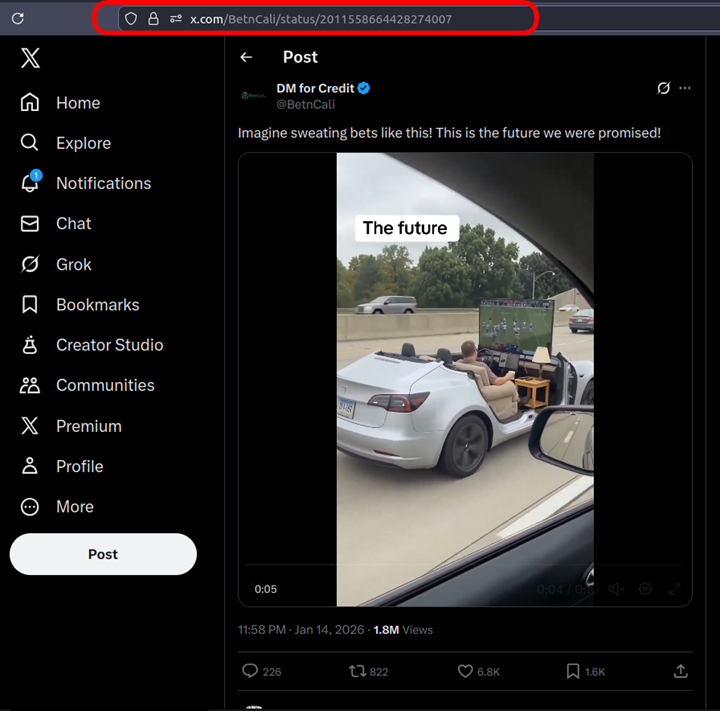
The format of a valid X URL looks like this:
- https://x.com/username/status/1234567890
Make sure the URL contains /status/ followed by a numeric ID. Links to profiles or timelines are not valid.
How to copy the URL (Desktop):
From a browser, click on the post to open, and then copy the URL from the address bar
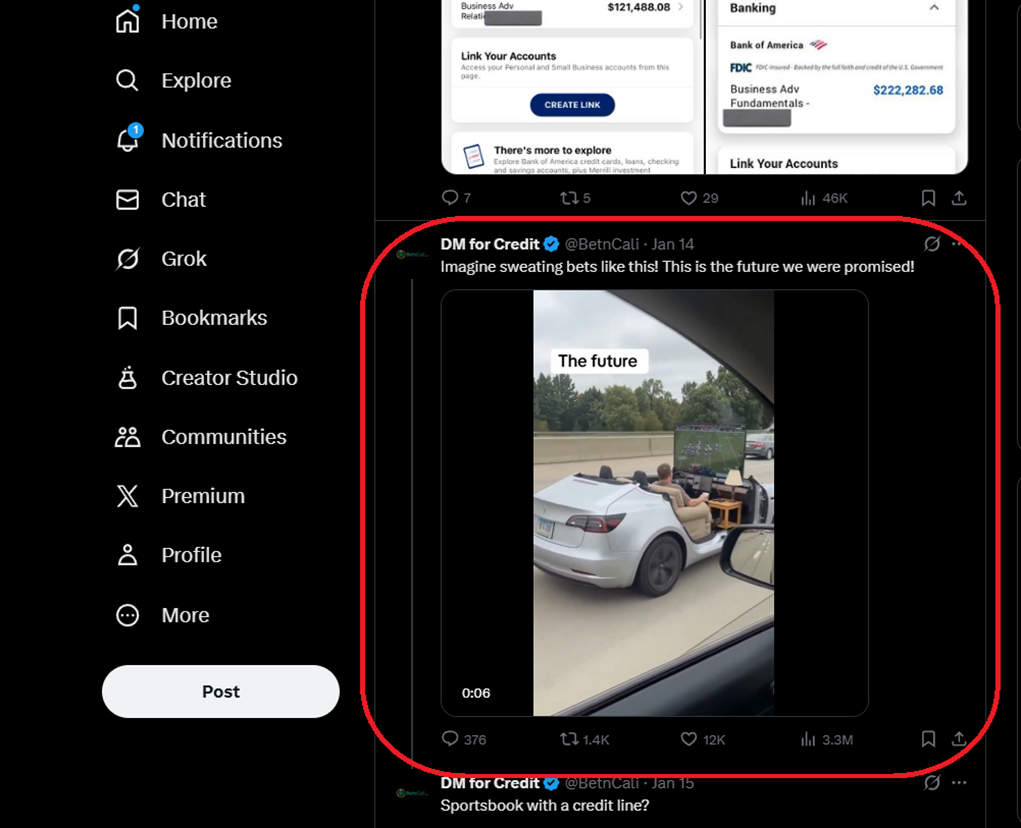
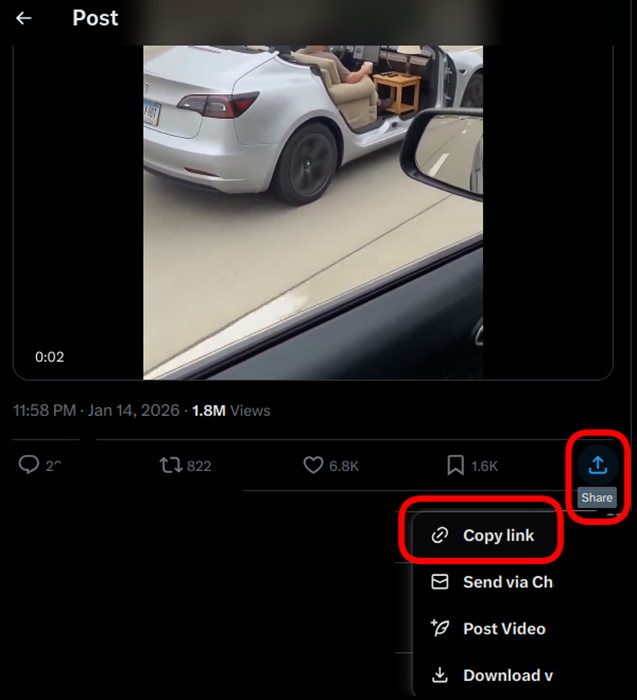
Or click the share button and then copy the link (Share → Copy link)
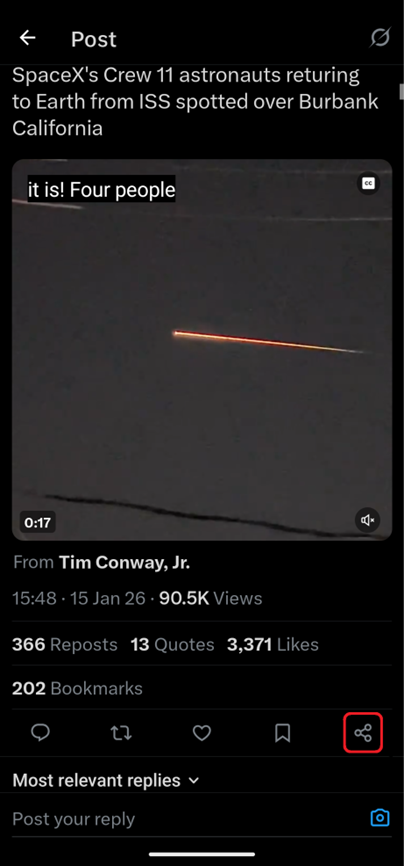
How to copy the URL (Mobile):
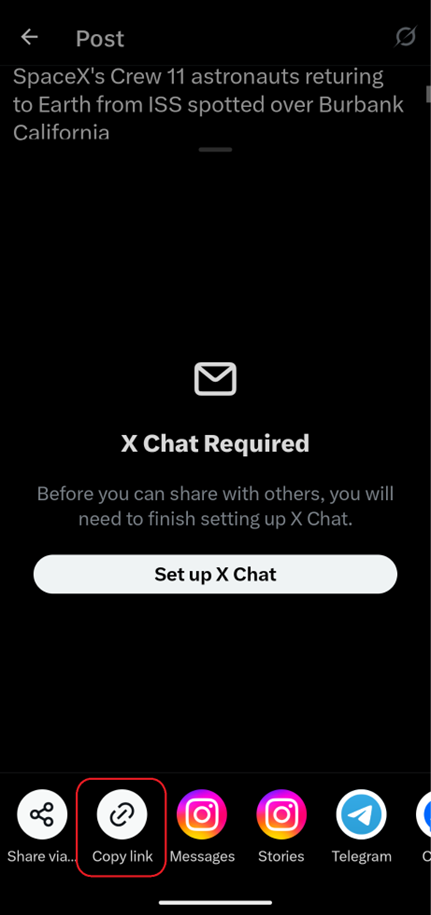
From the X mobile app, tap the post you’re interested in and then tap the share button and select the “Copy link” option.
The format of a valid Facebook URL looks like this:
- https://www.facebook.com/watch/?v=VIDEO_ID
- https://fb.watch/SHORT_ID/
- https://www.facebook.com/share/v/VIDEO_ID/
The video must be public. Private or friends-only videos are not accessible.
How to copy the URL (Desktop):
From a browser, on your timeline, click on the Share button and then select the “Copy link” option.
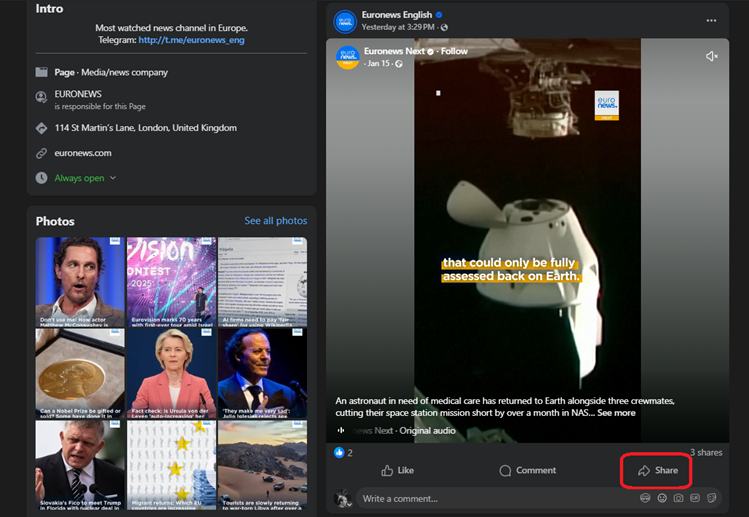
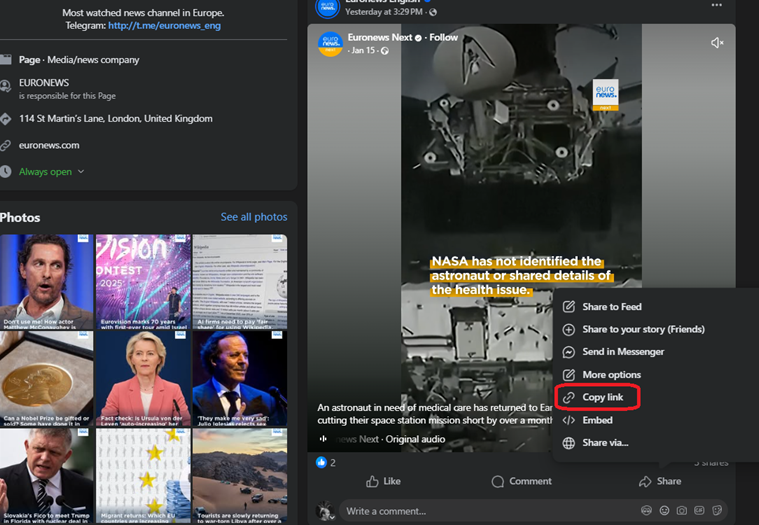
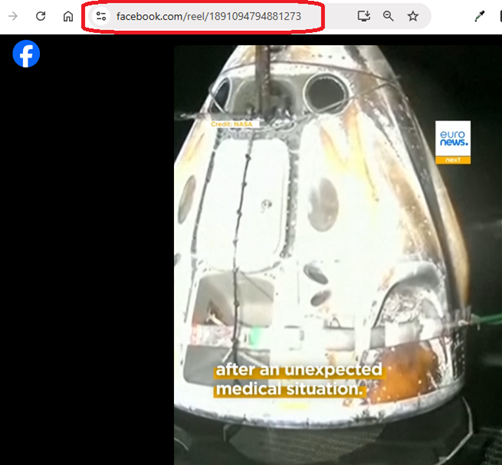
Alternatively, you can click on the video and then copy the URL from the address bar.
How to copy the URL (Mobile):
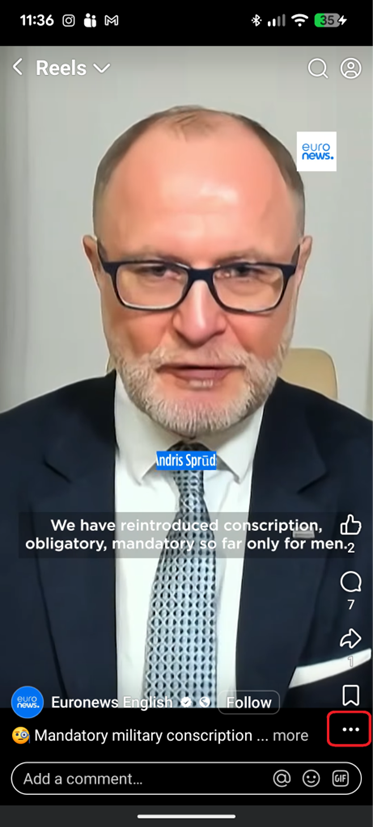
From the mobile app, open the video, click the three dots, and select the “Copy link” option.
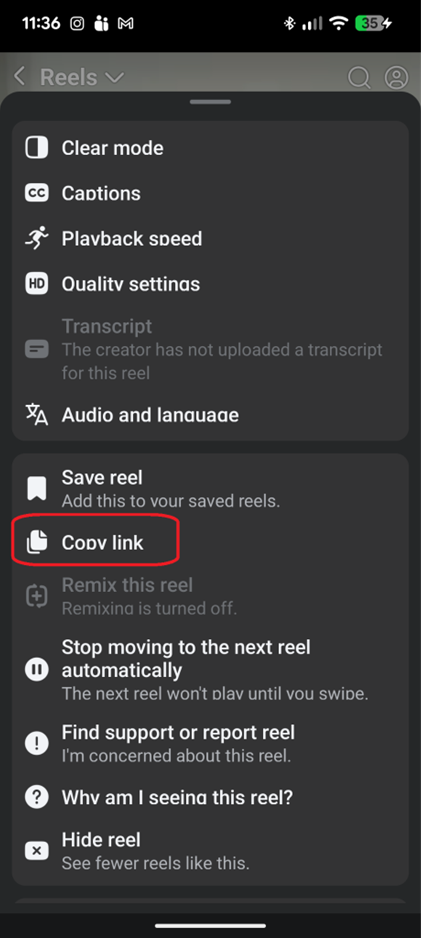
The format of a valid Instagram URL looks like this:
- https://www.instagram.com/reel/VIDEO_ID/
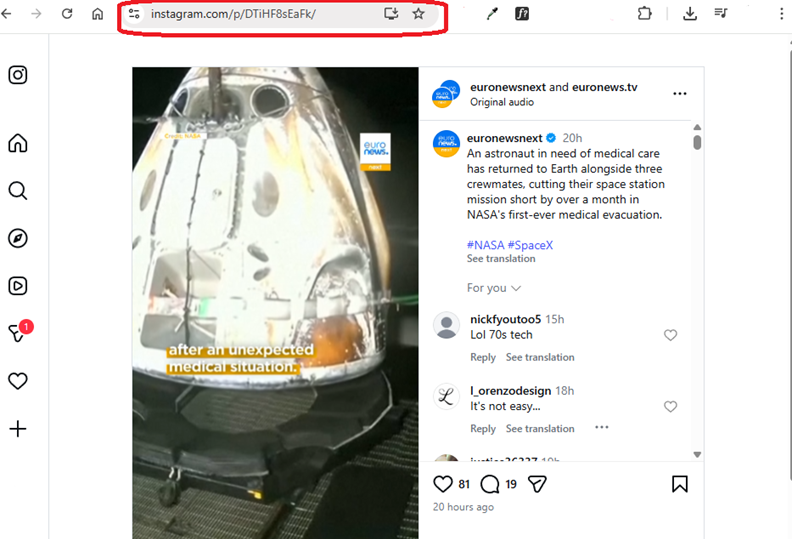
- https://www.instagram.com/p/VIDEO_ID/
The account must be public for the video to be accessible.
How to copy the URL (Desktop):
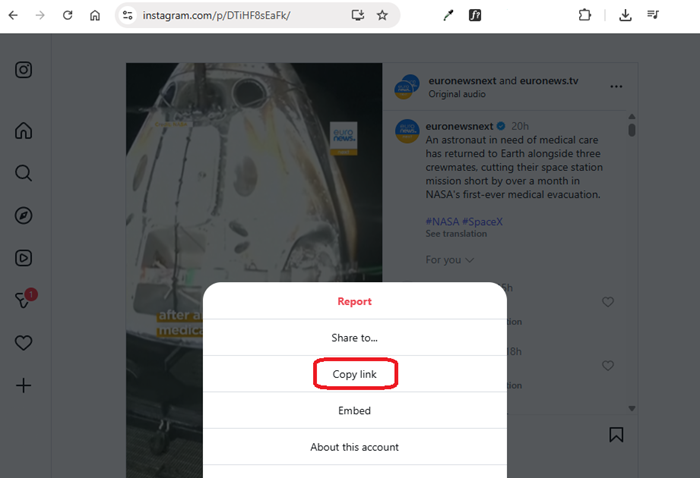
Using your browser, open the post or reel, click the three dots, and select “Copy link” or just copy the URL directly from the address bar.
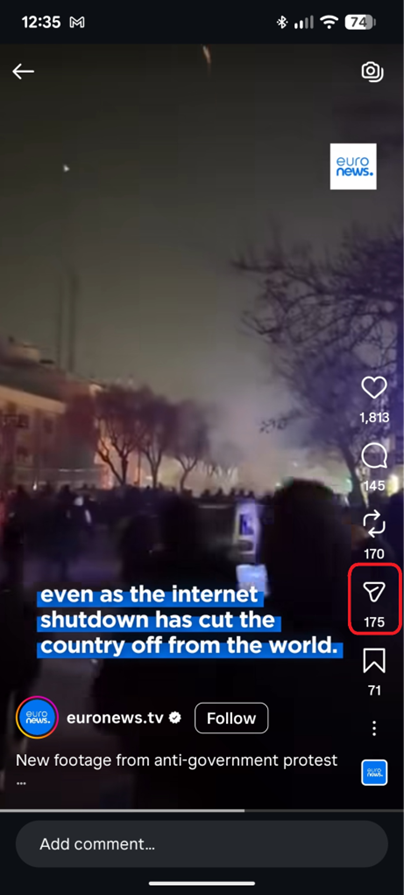
How to copy the URL (Mobile):
From the mobile app, open the video and click the Share button. From the pop-up menu, select the “Copy Link” button.
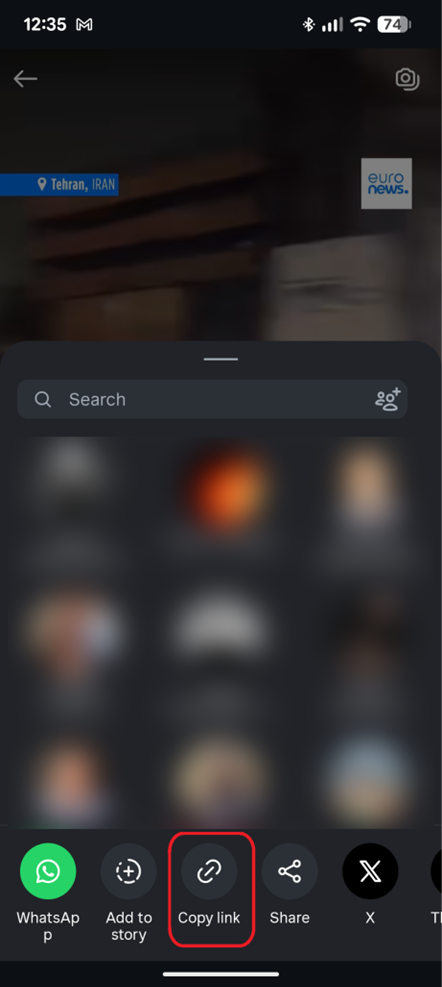
The format of a valid TikTok URL looks like this:
- https://www.tiktok.com/@username/video/1234567890123456789
- https://vm.tiktok.com/AbCdEfGh/
- https://vt.tiktok.com/AbCdEfGh/
The account must be public for the video to be accessible.
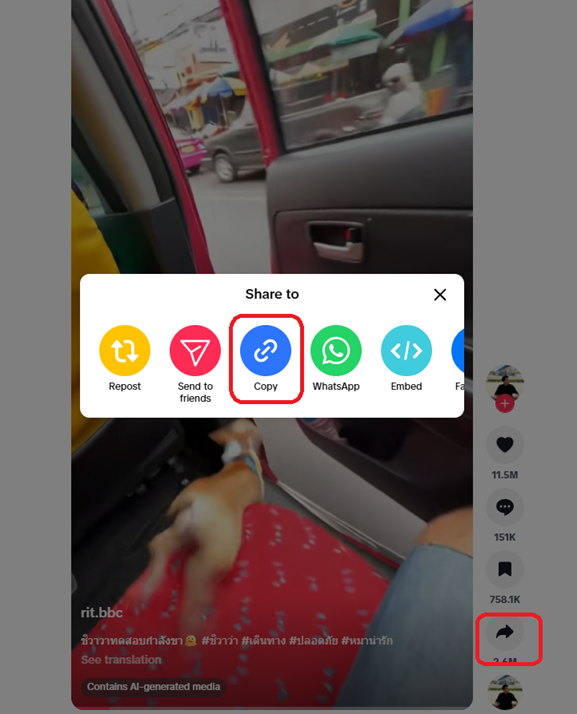
How to copy the URL (Desktop):
Using your browser, from your timeline, click the Share button. From the pop-up menu, select the “Copy” button.
How to copy the URL (Mobile):
From the mobile app, open the video and click the Share button. From the pop-up menu, select the “Copy link” button.
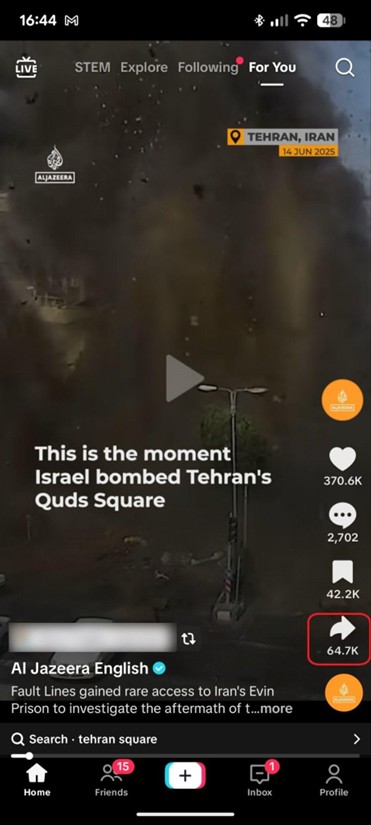
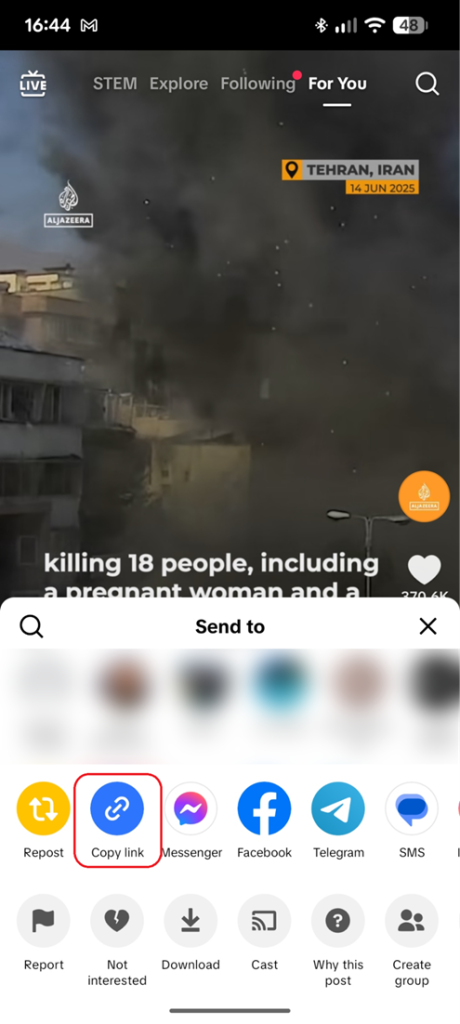
An often-seen error is the misinterpretation that the URL from a News article containing embedded video is the same as the video URL. You must copy the URL of the video itself.

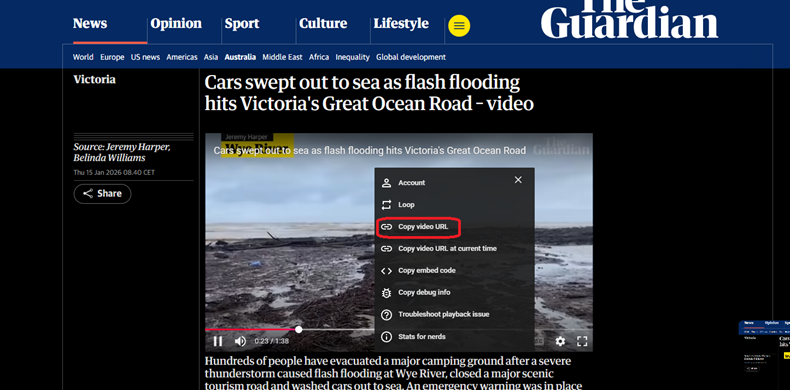
How to copy the URL:
- Click the video to open it in its own player or page
- Right-click the video and select Copy video URL (if available)
- If not available, use the platform’s Share option to copy the link